

Split error handling between customer-facing application logic and server-side operational logic. Some errors are safe to surface directly to the customer; others must be handled on your server and mapped to a safe message.
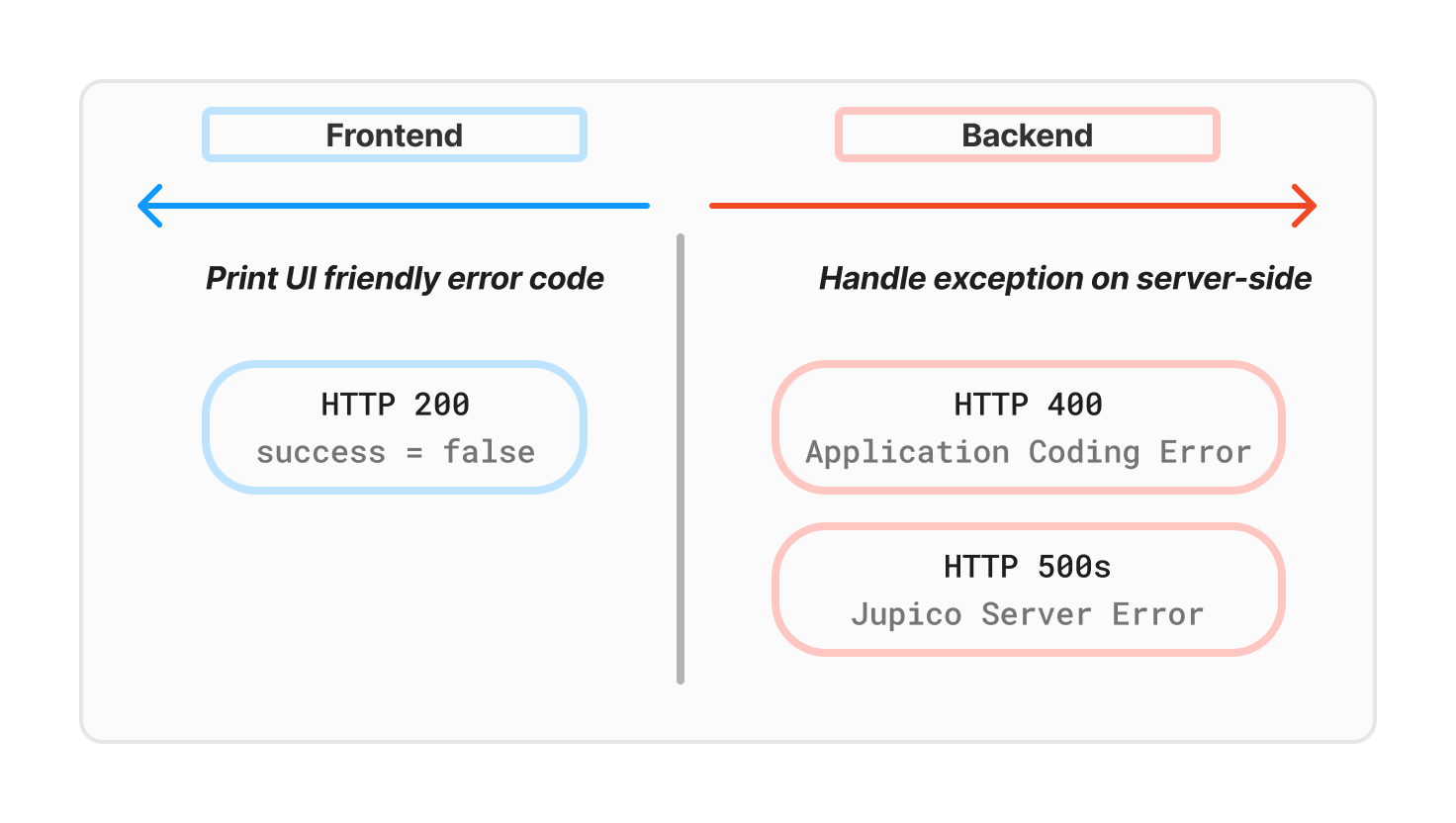
Handling HTTP 200 application errors
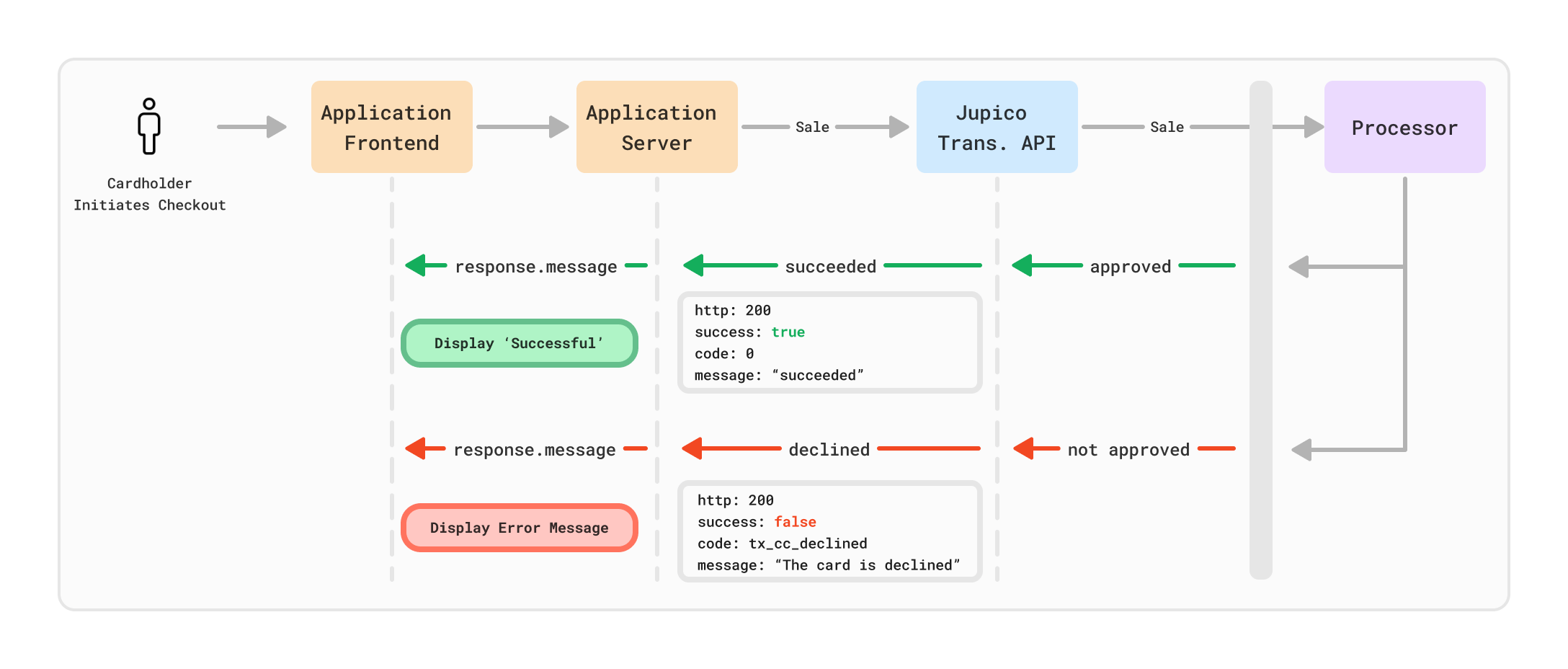
200 with success: false. These are application-level outcomes, such as a card decline.
1
Treat as unsuccessful
Do not fulfill the order or advance the workflow.
2
Show a clear message
Display the message to the customer or map it to safer copy.
3
Let the customer correct or retry
Offer another payment method when appropriate.
4
Store the code
Persist
code for troubleshooting and reporting.HTTP
200 with success: false is often appropriate for direct UI messaging, especially for payment declines and other user-correctable conditions.Handling HTTP 400 errors
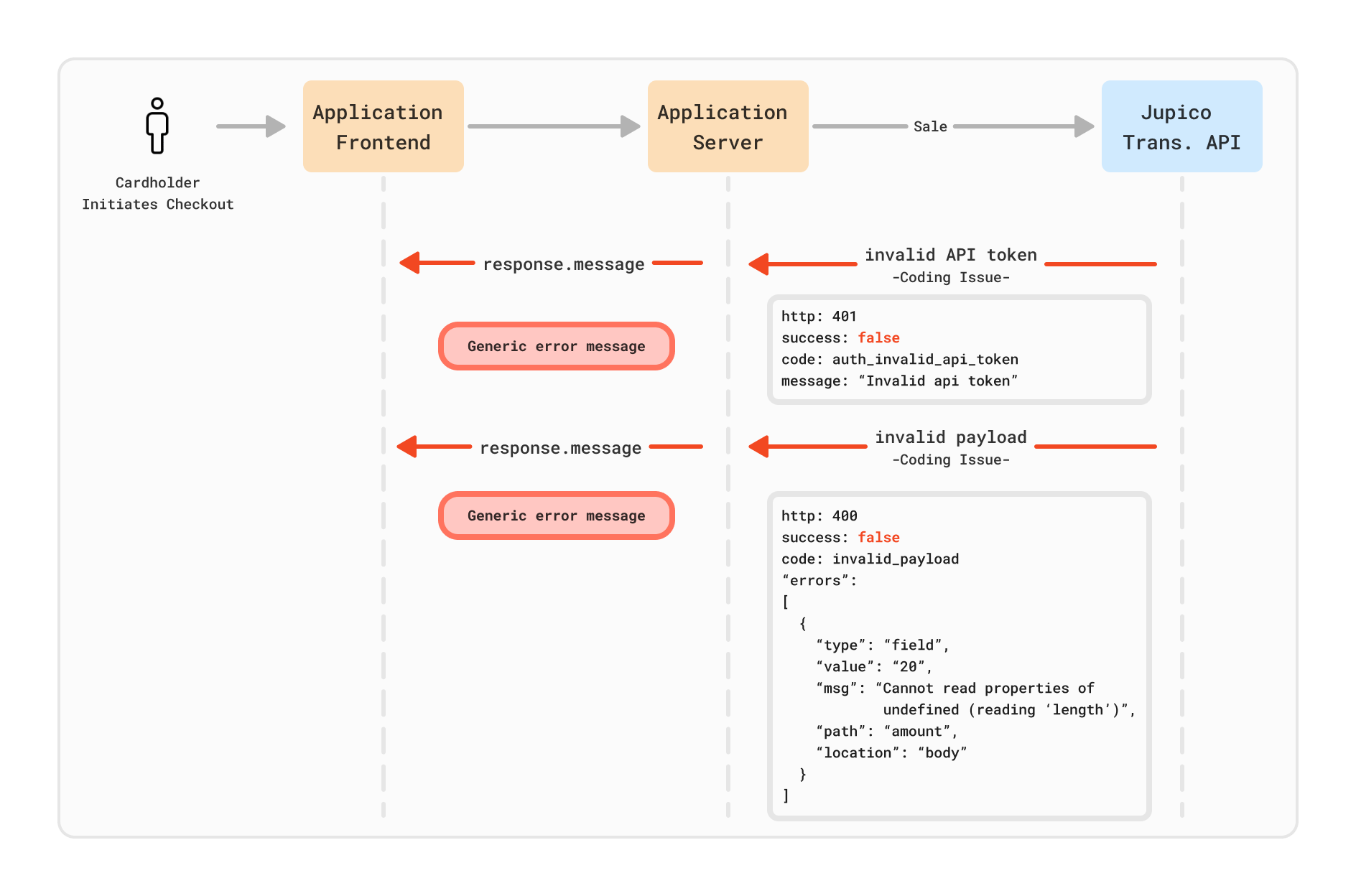
400 responses usually indicate invalid payloads, invalid operations, or workflow errors.
1
Handle on the server
Do not surface the raw response to the browser.
2
Log the context
Preserve the request, response body, and
X-Request-ID.3
Map to safe copy
Translate the raw error into a customer-safe message.
4
Fix the request
Correct the payload, route, referenced IDs, or operation sequence.
Handling HTTP 401 and 403 errors
Authentication and permission errors usually mean the request is missing credentials, using invalid credentials, or attempting an operation the API user, submerchant, or product is not allowed to perform. Common causes:- Missing
Authorizationheader - Invalid API token
- Inactive API user
- Inactive submerchant
- Disabled feature
- Invalid
Content-Type
Handling HTTP 500 errors
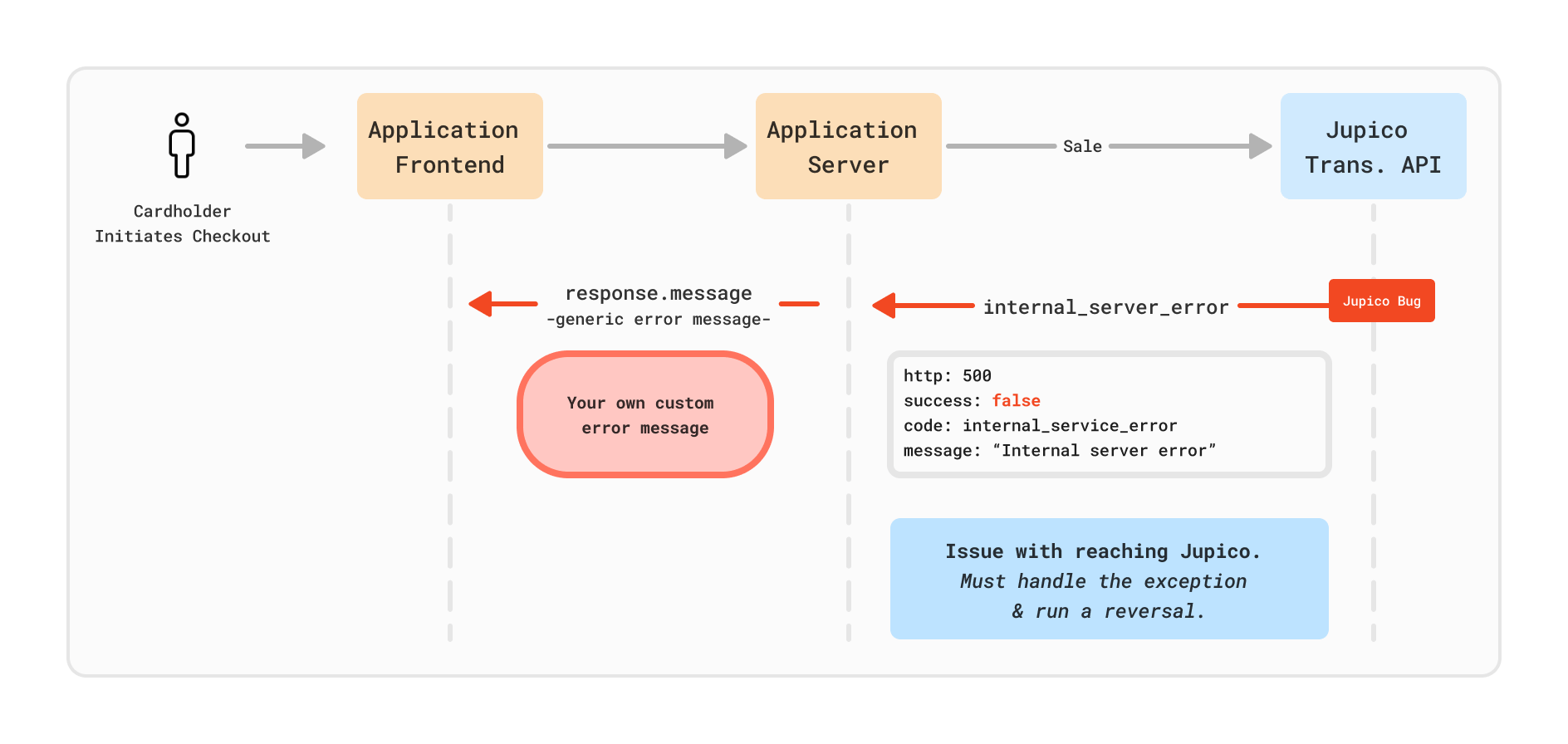
HTTP500 indicates an internal server-side failure. For transaction operations, initiate rollback handling where applicable.
1
Do not assume safe failure
A
500 does not guarantee that no money moved.2
Run rollback where supported
See Timeout Handling for the reversal flow.
3
Preserve context
Log the
X-Request-ID, request payload, response, and operation type.4
Escalate if unresolved
Contact Jupico support if the state remains unclear.
Handling HTTP 503 errors
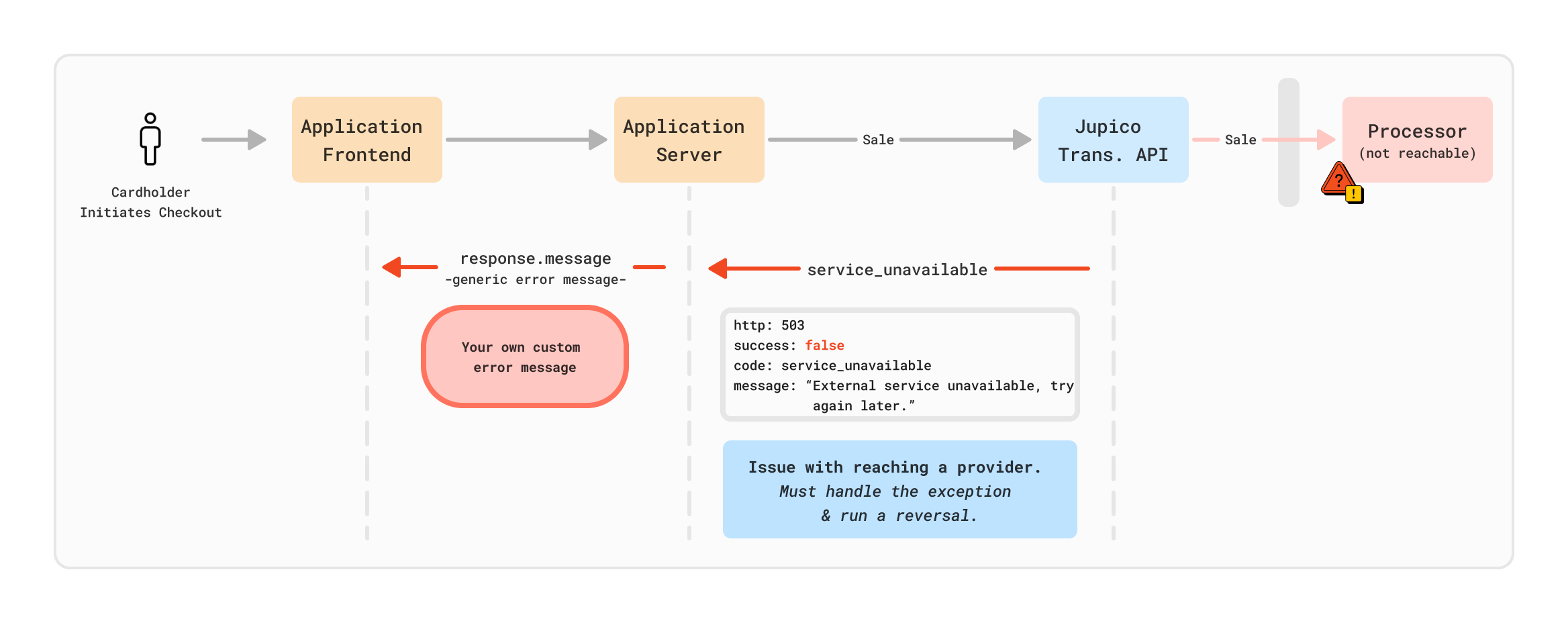
503 indicates that one or more external services are temporarily unavailable.
1
Retry later with backoff
Do not retry aggressively.
2
Do not reverse on 503 alone
A reversal is not required solely because the response was
503.3
Continue monitoring
Wait for the operation to succeed, decline, or return a different error.
Server-side handling checklist
- Validate required fields before sending requests.
- Preserve request and response logs.
- Save the
X-Request-IDon every call. - Use safe customer-facing error messages.
- Never expose API credentials in the browser.
- Implement timeout handling and rollback logic for transaction operations.
- Add alerts for repeated
500,503, and authentication failures.
Related pages
Error Codes
Full catalog of
code values with recommended handling.Status Codes
HTTP status codes and their integration behavior.
Timeout Handling
Reversal and retry flows when a request times out.
Transaction Status Handling
Handle
succeeded, declined, and failed outcomes.